

If a client hasn’t messaged you yet asking why their rankings jumped around, give it a few days. Google started a core update on Tuesday, and this one has awkward timing.
It could still be rolling out when Black Friday arrives. That means rankings moving, holiday traffic spiking and clients refreshing Search Console all in the same fortnight.
So let’s go through what Google actually said, what you should (and shouldn’t) do this week, and how to read the numbers once things settle down.
What Google announced
The November 2026 core update started on 10 November at 10:06 a.m. Pacific time, according to Google’s Search Status Dashboard. It applies to all countries and languages.
It’s the third core update this year, after March and May. Google’s description, quoted by Search Engine Journal, was short: “This is a regular update designed to better surface relevant, satisfying content for searchers from all types of sites.”
In other words, there’s no new rule to follow and no single thing to fix. Google re-weighs what it thinks is the most helpful result, and some pages move up while others move down.
“Up to two weeks” probably means longer
Google says the rollout may take up to two weeks, which would put the finish around 24 November. History suggests you shouldn’t count on that.
The November 2024 update ran from 11 November to 5 December, about 24 days, well past its own two-week estimate. The November 2023 one took 26 days.
To be fair, this year has been faster. March and May both finished in about 12 days. But if you’re planning client work, it’s safer to assume this one reaches December.
Why the timing is awkward
Thanksgiving is on 26 November, Black Friday on the 27th and Cyber Monday on the 30th. Adobe expects US shoppers to spend $275.1 billion online in November and December, with Cyber Monday alone at $15.1 billion.
For any client with a store, traffic is about to swing for reasons that have nothing to do with Google’s update. And those swings land right when the rollout should be ending.
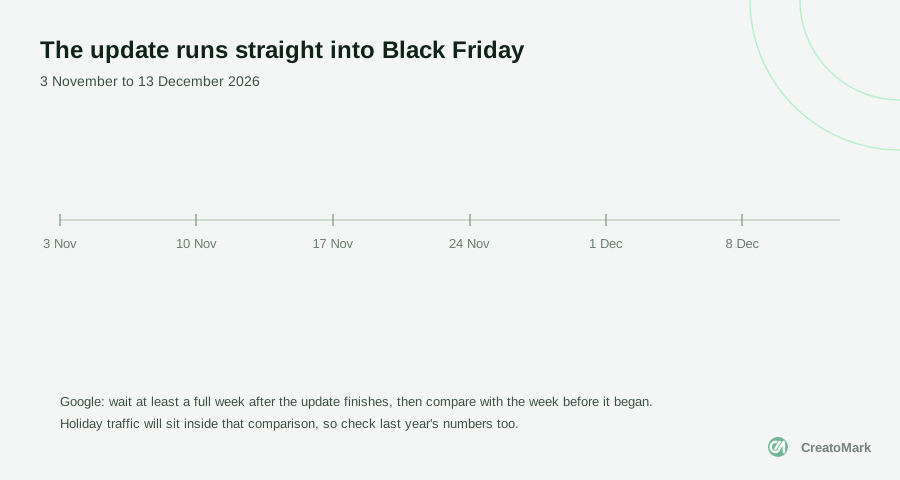
As Search Engine Journal pointed out, a store comparing that week with a normal week before the update would be comparing holiday traffic against an ordinary week. The numbers would look great, or terrible, and tell you nothing about the update.
The short version: for the next few weeks, almost every traffic change your clients see will have two possible causes. Your job is to keep them apart.
What to do this week
The best move during a rollout is usually a boring one. Here’s what we’d focus on.
- Leave pages that work alone. Rankings bounce around mid-rollout. Rewriting a page because it dropped three places on Thursday is how you lose a page that would have recovered by Monday.
- Save your baseline now. Export each client’s Search Console performance data for 3 to 9 November, the week before the rollout began. For stores, export the same weeks from last year too.
- Write the dates down. Note 10 November, the day the update finishes and the four holiday dates in each client’s report. Future you will thank present you.
- Keep fixing real problems. Broken pages, slow checkouts and out-of-stock product pages don’t pause for core updates. If something is actually broken, fix it.
- Tell clients before they ask. A short, calm note today saves you a panicked call next week. There’s an example further down.
What about daily rank trackers? They’ll show more movement than usual for a while, and that’s normal. Watch the trend, not the day.
How to read the numbers once it finishes
Google’s own core updates guide is clear on timing: “We recommend waiting at least a full week after a core update completes before analyzing your site in Search Console.” Then compare that week with the week before the rollout started.
For most clients, that means looking in early to mid December, against your 3 to 9 November baseline. For stores, add one more check: compare year over year, so you can see what normally happens to their traffic in early December.
Search Console makes that easy. Google’s guide to traffic drops suggests the Date filter’s Compare tab, including “Compare last 3 months year over year”, to “make sure it’s not a drop that happens every year.”
If you already check a handful of numbers every week, this takes ten minutes. If you don’t, this update is a good excuse to start.
Is it actually the update?
Before you blame Google, rule out the boring causes. Go through these in order.
For the seasonal check, Google suggests Google Trends, which its guide describes as “a largely unfiltered sample of actual search requests made to Google.” If fewer people are searching for “garden furniture” in December, that’s not the algorithm.
Small drop or big drop?
For a small dip, Google’s advice is calm: “There’s no need to take drastic action.” It also suggests “avoiding making changes to content that’s already performing well.”
For a big drop, do a proper review. Google asks you to look at whether the site overall, not just one page, is helpful, reliable and written for people. That’s a content question, not a technical trick.
If a lot of the site’s content was written with AI, start with Google’s new rule on fact-checking AI content. And if clients are also asking about AI Overviews, here’s what to tell them about AI search.
And be honest with clients about timing. Google says it “could take several months” for improvements to show, and in some cases that “could mean waiting until the next core update.”
A core update isn’t a penalty. It’s Google re-ranking everyone at once, so the question isn’t “what did we break?” but “who’s now more helpful than us?”
Want to see it in Search Console?
This short video from Google’s own Search Central team walks through the performance reports you’ll use for all of this: comparing dates, filtering by page and query, and spotting what really changed.
What to tell your clients
Clients don’t need a lecture on algorithms. They need to know you’ve seen it, you’re watching, and you won’t make rash changes with their site. Something like this works:
“Google started one of its regular core updates on 10 November, and it’ll probably run into early December. Rankings will move around while it rolls out, so we’re not changing anything that’s working. We’ve saved a snapshot of your numbers from before it started, and once it settles we’ll compare like for like and tell you exactly what changed.”
For store clients, add one line about Black Friday: holiday traffic will be higher anyway, so you’ll compare against last year as well. That one sentence stops a lot of confused emails.
This is the kind of moment that shows clients what they’re paying you for. We wrote more about that in how to prove your agency’s value every month.
How we handle it in our reports
We run SEO for agencies under their brand, and every month we send a short, branded report: what moved, why it matters and what we’ll do next. Updates like this one are exactly why we write them that way.
For December’s reports, that means the update dates and the holiday week sit right next to the traffic numbers, so nobody reads a Black Friday spike as an SEO win or a December dip as a penalty.
Our monthly crawls help too. They catch broken pages and indexing problems as they appear, so when traffic moves we can rule out the technical causes first, before anyone starts blaming Google.
And if nothing needs changing, the report says so. A report that recommends rewriting half the site every time Google sneezes isn’t helping anyone.
The bottom line
This update is routine, but its timing isn’t. For the next few weeks, holiday traffic and ranking changes will overlap, and clients will want answers fast.
So save your baseline now, leave working pages alone, fix what’s genuinely broken and compare like for like once the dust settles. If you’re also getting stores ready for the rush, our Black Friday guide for AI shoppers covers the rest.
And if you’d like a team to handle all of this under your brand, have a look at our white-label SEO services, or book a call and we’ll talk through your clients’ sites.